












































How Is CS2 Skin Value Determined? Float, Wear, Pattern and Sticker Guide
Written by Rutaku Team 10-12 min read 396 views
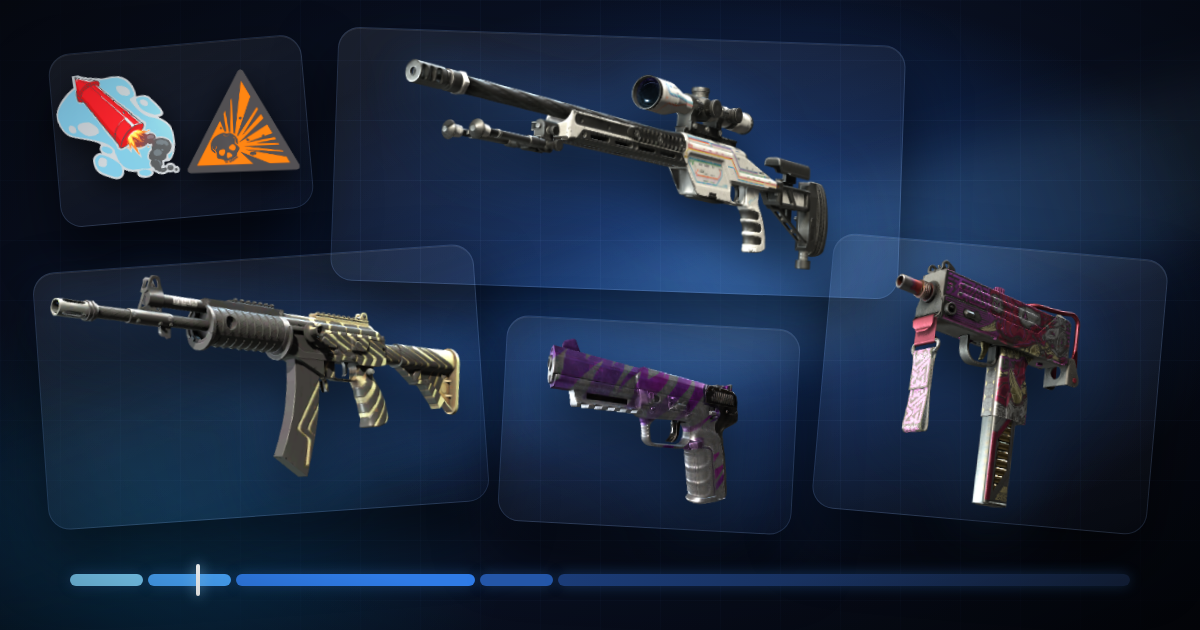
How CS2 skin prices are formed: float and wear ranges, pattern index, Blue Gem and Fade patterns, sticker crafts, StatTrak and Souvenir, and a step-by-step way to find a skin's real market value.
Two copies of the same AK-47 skin can sit next to each other in a marketplace, both labelled Field-Tested, and one can cost twice as much as the other. The name is identical. The difference is in what the name leaves out: the exact float value, the pattern, the stickers and how many buyers are actually looking for that particular copy.
This guide explains how CS2 skin value is formed, step by step. It separates what the game really does (official mechanics published by Valve) from what the community has agreed to pay extra for, and it ends with a practical way to price a skin before you buy or sell it.
What determines the value of a CS2 skin?
A skin's price is the result of several layers stacked on top of each other. The first layers set the base price, the later ones decide how far a single copy moves away from it.
| Factor | What it is | Official mechanic or community habit? |
|---|---|---|
| Weapon, finish and rarity | Which skin it is and how hard it is to obtain | Official: rarity grades and drop sources are set by Valve |
| Wear and float | How worn the copy looks | Official: a fixed number stored on the item |
| Pattern (paint seed) | How the artwork is placed on the weapon | Official mechanic, community pricing |
| Stickers | What is applied to the skin | Official mechanic, community pricing |
| StatTrak / Souvenir | A separate version of the same skin | Official |
| Supply and demand | How many copies exist and how many people want one | Market |
Keep this order in mind. Most pricing mistakes come from skipping straight to the exciting layers (patterns, stickers) before checking the basic ones.
What is float value?
Float is a number between 0 and 1 that describes how worn a skin is. The lower the number, the cleaner the finish. Valve's own finishes guide describes the mechanic plainly: every finish defines a wear range, and when a skin is created the game picks a random value inside that range.
Three facts about float matter for pricing:
- It never changes. The value is written when the item drops, is unboxed or comes out of a trade-up contract. Playing with the skin, trading it or keeping it for years does not move it.
- It belongs to one copy. Two skins with the same name almost always have different floats.
- It is public. Anyone can read it from the item's inspect link, so a seller cannot hide it.
Because the number is fixed and visible, float is the most reliable piece of information you have about a skin.
What are the wear levels in CS2?
The five wear names are simply labels for float intervals.
| Wear level | Short | Float range | What you usually see |
|---|---|---|---|
| Factory New | FN | 0.00 – 0.07 | Clean finish, at most tiny marks |
| Minimal Wear | MW | 0.07 – 0.15 | Light scratches on edges |
| Field-Tested | FT | 0.15 – 0.38 | Visible wear, the widest interval |
| Well-Worn | WW | 0.38 – 0.45 | Large areas rubbed off |
| Battle-Scarred | BS | 0.45 – 1.00 | Heavy wear over the whole weapon |
A note on accuracy: Valve's workshop guide lists two of these borders slightly lower (0.37 and 0.44). Item labels in the game and on marketplaces switch at 0.38 and 0.45, which is why every float tool uses the values in the table.
Not every skin exists in every wear
Each finish has its own minimum and maximum float. Valve notes that many finishes ship with a range of 0.00 to 0.60 instead of the full scale. This has real consequences:
- AWP | Asiimov starts at 0.18, so it can never be Factory New or Minimal Wear.
- AK-47 | Redline runs from 0.10 to 0.70, so there is no Factory New Redline.
- Desert Eagle | Blaze stops at 0.08, so it exists only as Factory New and Minimal Wear.
So "Factory New" is rare and expensive on one skin and completely ordinary on another. Always look at the range of the specific skin before deciding what a wear level is worth.
Float inside a wear level
Field-Tested covers 0.15 to 0.38. A 0.16 copy looks close to Minimal Wear, a 0.37 copy looks close to Well-Worn, and the market prices them differently even though the label is the same. Collectors pay the most for floats right at the bottom of an interval.
Lower is not automatically better, though. On some skins wear changes the look in a way people like: very high-float copies of the AWP | Asiimov, nicknamed "Blackiimov", are wanted because the worn scope turns almost black.
What is the pattern index and how does it affect price?
When a finish is applied, the game also chooses a random position and rotation for the artwork. Valve describes this as the reason "each application is unique". The value that controls it is the pattern index, also called paint seed or pattern template: a whole number from 0 to 1000.
Float and pattern are independent. A perfect float can come with a dull pattern, and the other way round.
For most skins the pattern changes nothing you would pay for. Two Asiimovs with different seeds are the same product. On a small group of finishes, however, the seed decides which part of the artwork lands on the visible side of the weapon, and there the pattern can matter more than the wear.
| Finish | What the pattern changes | What buyers look for |
|---|---|---|
| Case Hardened | How much blue, gold and purple shows, and where | As much blue as possible on the visible side ("Blue Gem") |
| Fade | How far the colour gradient reaches | A high fade percentage |
| Marble Fade | How the colours are laid out | Named layouts such as "Fire & Ice" |
| Crimson Web | How many webs appear and where | A large, centred web |
| Doppler, Gamma Doppler | Nothing: the phase is part of the finish, not the seed | The phase written in the item name |
An important boundary: the game creates the patterns, but it does not rank them. Names like Blue Gem, tier lists and "rank 1" labels are community conventions. Different websites rank the same seed slightly differently.
Blue Gem, Fade and Marble Fade patterns
Blue Gem (Case Hardened). Case Hardened finishes mix blue, gold and purple areas. A Blue Gem is a pattern where the side you see in first person, the play side, is almost entirely blue. The best-known example is pattern 661 on the AK-47 | Case Hardened; a StatTrak Factory New copy was reported to have sold for around one million dollars in 2024. That is the extreme end of the scale, not a guide to what an ordinary blue-ish pattern is worth.
Fade. On Fade knives and weapons the seed decides how much of the gradient is visible. The community expresses it as a percentage: the higher the number, the further the colours reach towards the tip. Because the percentage is calculated from the seed, calculators agree on it; it is not an eyeball estimate.
Marble Fade. Here the seed sets the colour layout. The most wanted layouts have their own names; "Fire & Ice" describes a blade dominated by red and blue with no yellow.
Crimson Web. The number and placement of the webs depend on the seed. One large web in the centre of the visible side is valued far above scattered small ones.
Two warnings before paying a pattern premium. First, check the seed yourself instead of trusting a listing title. Second, look for completed sales of comparable patterns. A seller can ask any price for a "rare pattern"; only actual sales show what buyers accept.
How do stickers affect CS2 skin value?
Stickers follow simple official rules. A weapon can carry up to five stickers. A sticker can be scraped to look worn, and once it is applied it cannot go back into your inventory: removing it destroys it.
Everything about their value is community pricing:
- Applied stickers add only a fraction of their own price. A skin with expensive stickers is almost never worth the skin plus the stickers. Sellers call the extra they ask for "sticker value" or overpay.
- Rarity decides whether there is any premium at all. Common stickers add nothing and can even make a skin harder to sell.
- Crafts are worth more than random mixes. Four or five identical stickers, or a set that matches the skin's colours, is called a craft and attracts collectors.
- Position and condition matter. A sticker in the most visible spot, unscraped, is worth more than the same sticker hidden or worn.
Why Katowice 2014 stickers are special
Stickers from the EMS One Katowice 2014 tournament capsules are the most valuable in the game, with the Holo versions of teams such as iBUYPOWER and Titan at the top. The capsules stopped being sold years ago, so no new copies enter the game, and the supply shrinks every time someone applies one to a weapon. A skin carrying these stickers has to be priced as a collector's item, by looking at sales of similar crafts, not with a simple formula.
StatTrak and Souvenir skins
StatTrak is a separate version of a skin with a built-in counter that records the owner's kills with that weapon. A few points are often misunderstood:
- A normal skin cannot be turned into a StatTrak one.
- The counter resets when the item is traded or sold, so a high kill count adds no value for the buyer.
- Knives can be StatTrak, gloves cannot.
- The StatTrak premium is not a fixed percentage. It depends on how many copies exist and how popular the skin is.
Souvenir skins are tied to a Major tournament match and carry gold stickers of the event and teams. For years they came only from souvenir packages dropped during Major matches. Since the IEM Cologne 2026 Major, Valve's Souvenir-O-Matic also lets players turn a weapon they already own into a Souvenir of a finished match. Souvenir and StatTrak never appear on the same item; the AWP | Dragon Lore, for example, exists as a normal and a Souvenir skin but never as StatTrak. A Souvenir's price depends on the skin and wear and also on which match and which stickers it carries, so two Souvenirs of the same skin can be far apart. Look at the stickers, not only at the word "Souvenir".
How to check a CS2 skin's float and pattern
You can verify everything yourself, for free, before any money moves.
- Open the inspect view. In your Steam inventory or on a market listing, choose "Inspect in Game".
- Read the values in the game. The information icon on the inspect screen shows the Wear Rating (the float) and the Pattern Template (the seed).
- Or use a float checker. Paste the inspect link into a float checker website to see the float, the seed and the stickers without starting the game.
- Compare with the skin's float range. A 0.08 float is excellent on a skin that goes up to 1.00 and the worst possible on a Desert Eagle | Blaze.
One safety rule: checking a float never requires your Steam password, a login through a link someone sent you, or your API key. A site or person asking for any of these to "check your skin" is trying to steal the account.
On Rutaku you do not need to do the detective work. Every listing in the CS2 skin market shows the float, paint seed and StatTrak status read from Steam, the applied stickers, an inspect link and the current Steam Market price next to ours.
How to work out the real market value of a skin
Use this order and you will rarely be far off.
- Find the base price. Search for the exact skin, wear level and version (normal, StatTrak or Souvenir). A different wear is a different product.
- Look at completed sales, not only listings. A listing shows what a seller hopes for. Sales history shows what buyers paid. The Steam Community Market displays a sales chart for every item, and the larger marketplaces show recent sales as well.
- Adjust for float. Place the copy inside its wear level: near the bottom, in the middle or near the top. On popular skins the bottom of the range earns a premium.
- Add a pattern premium only where patterns matter, and only as much as comparable sales support.
- Add a careful amount for stickers. Start from zero and go up only for stickers that are rare, well placed and unscraped.
- Account for where the money ends up. On the Steam Community Market a 15% fee (5% Steam, 10% game fee) comes on top of what the seller receives, and the money stays in the Steam Wallet, which cannot be withdrawn. Prices on cash marketplaces are usually lower for that reason, and comparing the two tells you whether an offer is fair.
- Think about how quickly it sells. A popular rifle skin sells in minutes at market price. A rare pattern or an expensive craft may wait weeks for the right buyer, and the price you can get today is lower than the price a patient seller might reach.
Common mistakes when buying and selling CS2 skins
- Pricing by wear name alone. "Field-Tested" covers very different floats.
- Ignoring the float range. Paying a Factory New premium on a skin that is almost always Factory New.
- Paying full price for stickers. The stickers cannot be taken off and resold.
- Believing pattern claims in titles. Check the seed and compare sales.
- Using asking prices as market value. Unsold listings are not evidence.
- Forgetting fees and trade holds. Steam can reverse CS2 trades for 7 days, and marketplaces hold payments accordingly.
- Paying for someone else's StatTrak kills. The counter resets.
- Logging in through links in messages. Go to websites by typing the address yourself.
Frequently asked questions
Does a skin's float change the more I play with it?
No. The float is set when the item is created and stays the same forever. Skins do not wear down with use.
What is a good float value?
It depends on the skin. Compare the float with the skin's own range and with the wear level it falls into. The lowest floats in a level are the most wanted, but on many cheap skins the difference in price is negligible.
Do stickers increase a skin's price?
Rare, well-placed stickers can, by a fraction of their own value. Common stickers do not, and they cannot be removed without destroying them.
What is a Blue Gem?
A Case Hardened pattern whose visible side is almost completely blue. The term comes from the community, not from Valve, and the premium depends on the weapon and on how blue the pattern really is.
Is StatTrak always more expensive?
Usually, but the size of the premium differs from skin to skin, and for some rarely used weapons it is small.
Why are skins cheaper on marketplaces than on the Steam Market?
Steam Market prices include a 15% fee, and the proceeds stay in the Steam Wallet, which cannot be withdrawn. Marketplaces that pay out real money price skins lower.
How can I check a float for free?
Use "Inspect in Game" and read the Wear Rating, or paste the inspect link into a float checker. No login is needed.
Know the value before you trade
A skin's value is not a secret. Start with the exact skin and wear, read the float, check whether the pattern matters, be sceptical about sticker premiums and trust completed sales over asking prices. Do this once or twice and it becomes a two-minute routine.
Ready to compare real listings? Browse the CS2 skins on Rutaku: each one shows its float, paint seed, stickers and the Steam Market price, and it is delivered to your Steam Trade URL as a trade offer while Rutaku holds the payment until you confirm delivery. Have skins you no longer use? You can sell your CS2 skins to Rutaku straight from your Steam inventory. New here? Read What Is Rutaku? first.
Sources: the wear ranges and the randomisation of wear and pattern are described in Valve's Weapon Finishes Guide. Pattern names, tier lists and sticker premiums are community conventions, not official values.